Home / Case Studies / Hollywood Dialect Coach
Automating Script Analysis for a Hollywood Dialect Coach
Challenge: Every word of a 100+ page movie script had to be inspected, sorted into a pronunciation group and checked for duplicates by hand.
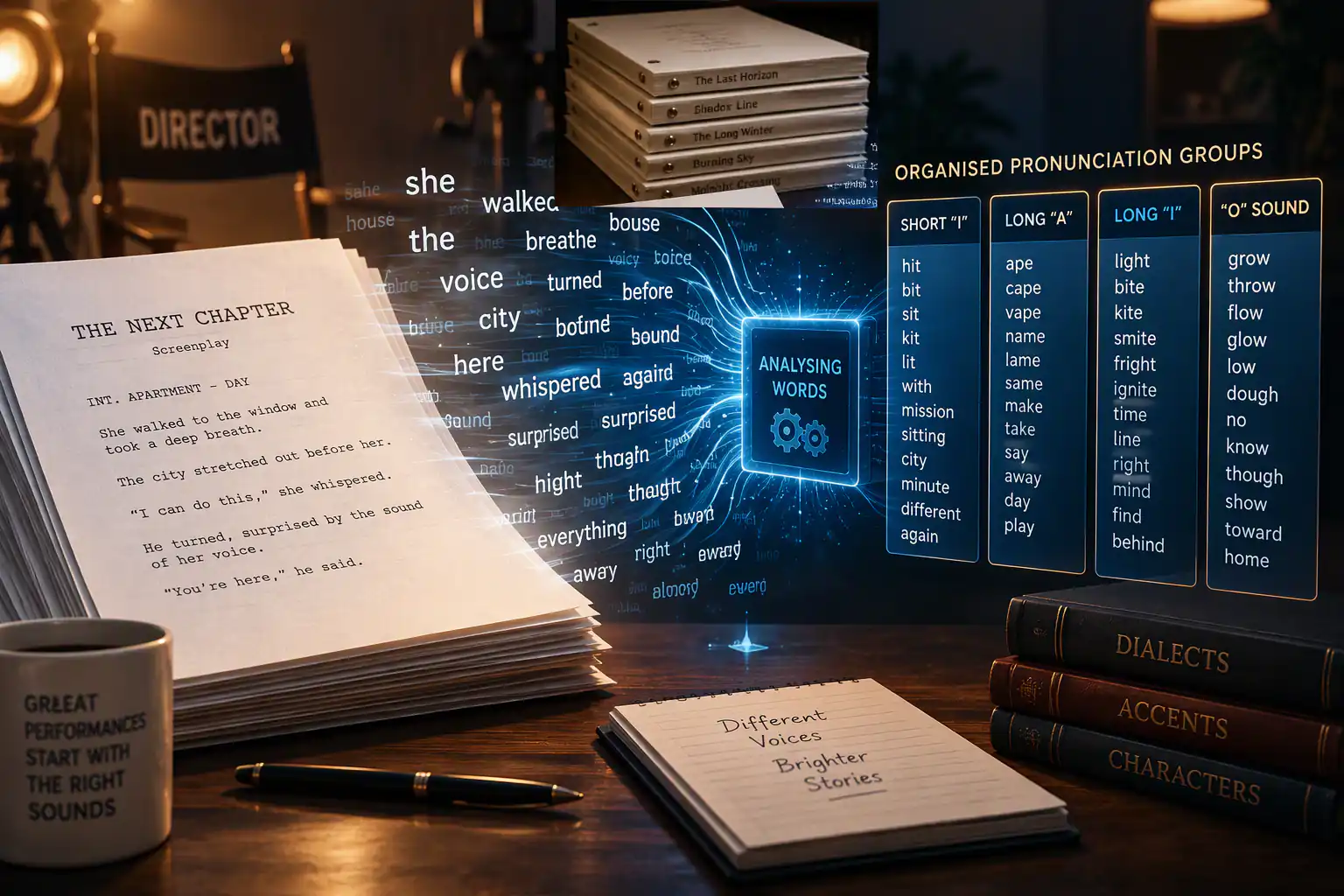
Solution: Software that reads the script word by word, matches each one to its sound group and builds the coaching lists without anyone sorting them by hand.
Case Study: Script Analysis for a Hollywood Dialect Coach
One of the more unusual automation projects I was asked to solve came from a Hollywood dialect coach.
His clients included actors preparing for major movie roles that required entirely different accents and speech patterns.
A celebrity actor or actress would hire him to help master a specific dialect before filming began.
My client explained how he manually analysed every word in a script, often exceeding 110 pages.
He categorised words into sound groups which were later used during coaching sessions.
Examples included:
Hit, Bit, Sit, Kit, Lit
Ape, Cape, Vape, Name, Lame, Same
Light, Bite, Kite, Smite, Fright, Ignite
Grow, Throw, Flow, Glow, Low, Dough, No

The Challenge
Reduce approximately nine hours of manual script analysis to a process measured in minutes.
The Technical Puzzle
Most people think programming is about telling a computer what to do. Often the real challenge is deciding how the computer should do it.
My client already had a database of known pronunciation patterns. The challenge was deciding how the software should interrogate that database as it processed thousands of words from a screenplay.
Every word had to be categorised correctly while avoiding duplicates. With several thousand words in a script, efficiency mattered.
Approach 1
Check Everything First
- Check every pronunciation list to see whether the word already existed.
- If it was not found, search the pronunciation database.
- Determine the correct sound category.
- Add the word to the appropriate list.
Approach 2
Classify First
- Search the pronunciation database immediately.
- Determine the correct sound category.
- Check only that category for duplicates.
- Add the word if it was not already present.
The only reliable answer was to build both concepts, run them against a real 100+ page screenplay and measure the results.
For my client, speed mattered. A screenplay containing several thousand words would run this process over and over again. Even a small inefficiency repeated thousands of times could have a noticeable impact on processing time. The goal wasn't merely to automate the task. The goal was to ensure the task was completed in the shortest practical time so that my client could move on to what he was actually paid to do: coach actors.
The Result
The manual process took approximately nine hours.
The automated process completed in approximately forty-five minutes.
This was achieved using Excel 2003 / Excel 2007 era technology running on 32-bit computers over twenty years ago.
The Human Benefit
After demonstrating the solution, I asked my client what he thought.
He said he was over the moon.
Although the process still ran for around forty-five minutes, he no longer needed to spend forty-five minutes performing the work.
He could start the process, leave the computer running, pick up his daughter from school, make a cup of tea and get on with other priorities.
Transform Your Data Processing
Can intelligent software written specifically for your data processing needs help your company optimize and become more profitable?
If you believe the answer is YES, then please reach out via the "Book a meeting" button. Let's discuss your needs on a call with no obligation.
Book a Meeting with me